Every PDF tool, right beside your page.
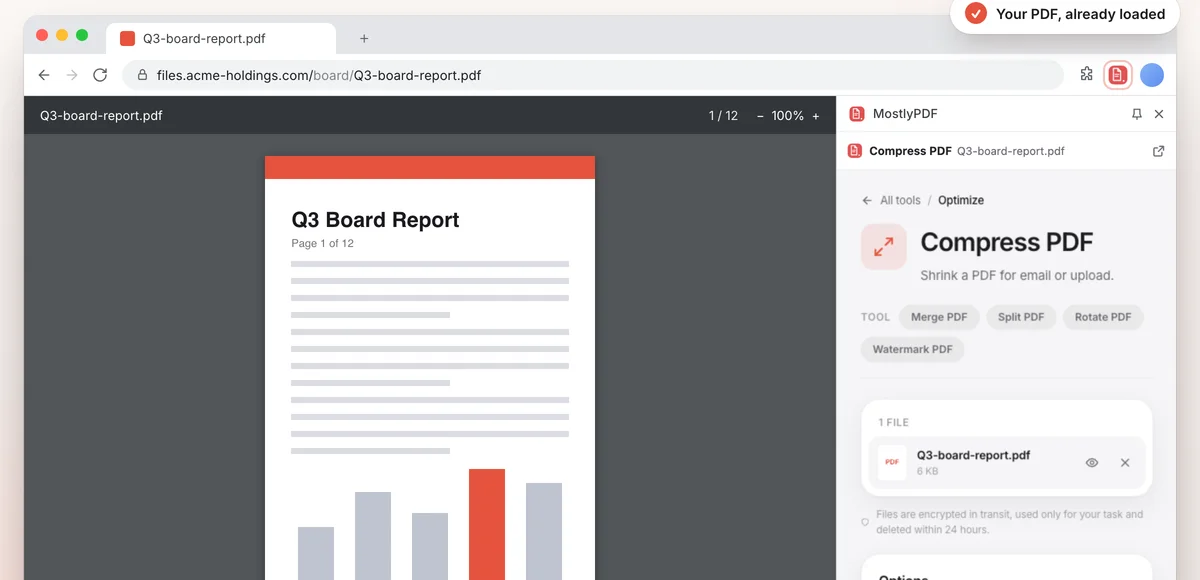
Right-click a PDF link, or open the toolbar button on a PDF tab, and pick a tool. MostlyPDF opens in Chrome's side panel with your PDF already loaded. No downloading, no re-uploading.
Free · about 40 KB · Chrome 116 or newer
How it works
Find a PDF
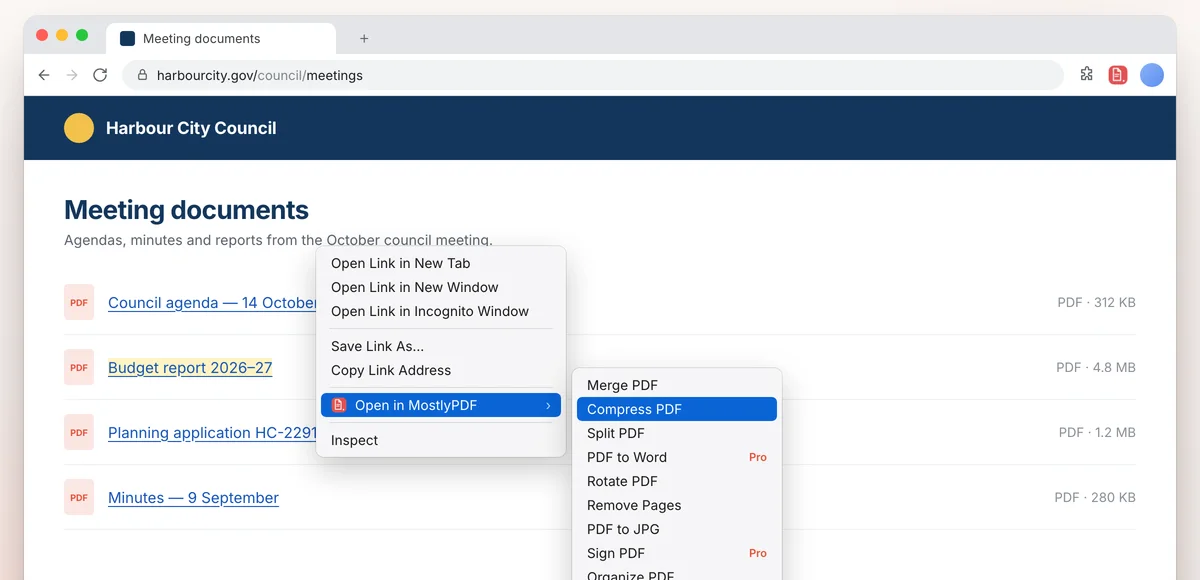
Right-click any link to a PDF, or click the MostlyPDF button while a PDF is open in a tab.
Pick a tool
Merge, compress, split, rotate, convert to Word or JPG, sign and more. The tool opens in the side panel with your PDF loaded.
Keep going
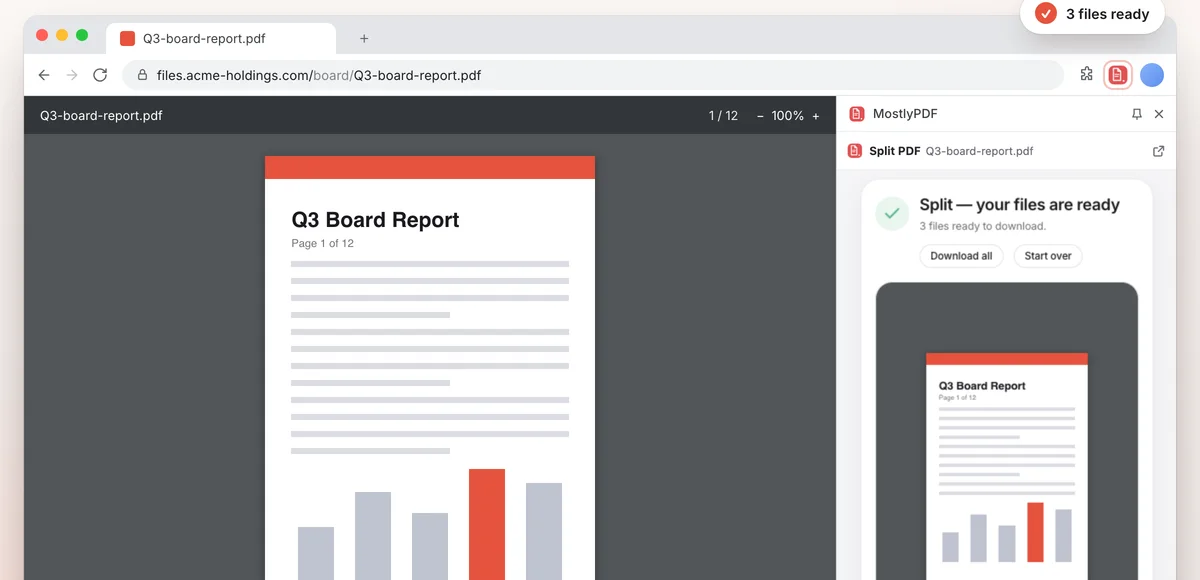
Switch tools and your PDF comes along. Need more room? One click moves the tool into a full tab.
See it in action
Small on purpose
- About 40 KB, with four permissions and access to one site: mostlypdf.com.
- No analytics, no tracking, and no data collected by the extension.
- Your PDF goes only to the MostlyPDF tool you picked.
Questions
Is the MostlyPDF extension free?
Yes. The extension is free, and so are the everyday tools: merge, split, rotate, organize, watermark and more, with no sign-up and no watermark. A few tools, like PDF to Word and signing, need MostlyPDF Pro and are marked Pro.
Does the extension upload my PDF anywhere?
The extension only hands your PDF to the MostlyPDF tool you picked. Many tools then run entirely in your browser; tools that need our servers send the file over an encrypted connection, use it only for your task and delete it within 24 hours.
Which PDFs can it open?
PDF links on the page you're on, PDFs open in a tab, and local files once you allow file access for the extension. Some sites block other pages from reading their files; then MostlyPDF opens the tool and asks you to drop the downloaded PDF in.
Which browsers does it work in?
Google Chrome 116 or newer, on Windows, macOS, Linux and ChromeOS.